> ## Documentation Index
> Fetch the complete documentation index at: https://docs.gridshift.studio/llms.txt
> Use this file to discover all available pages before exploring further.
# Welcome to Gridshift
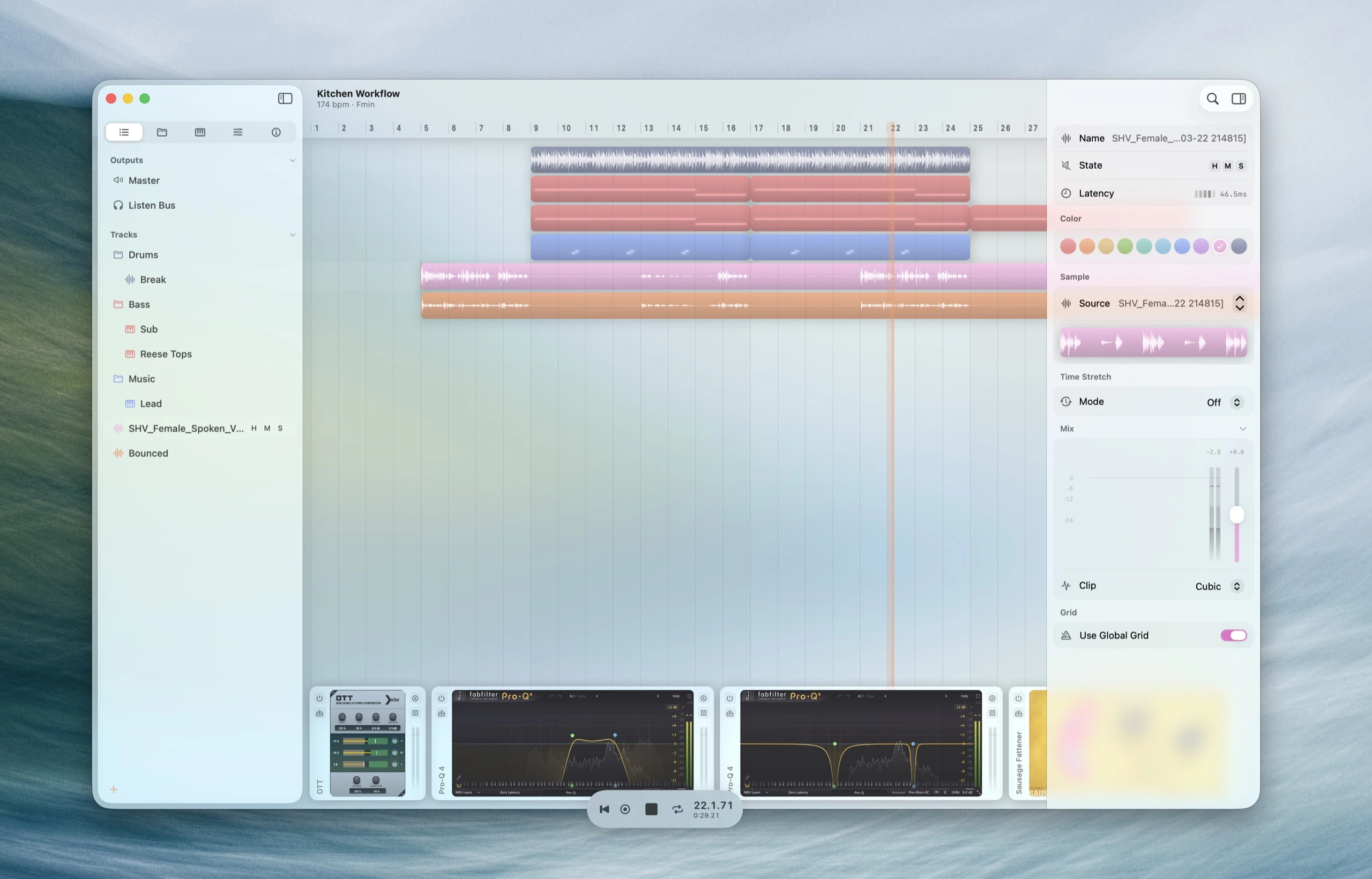
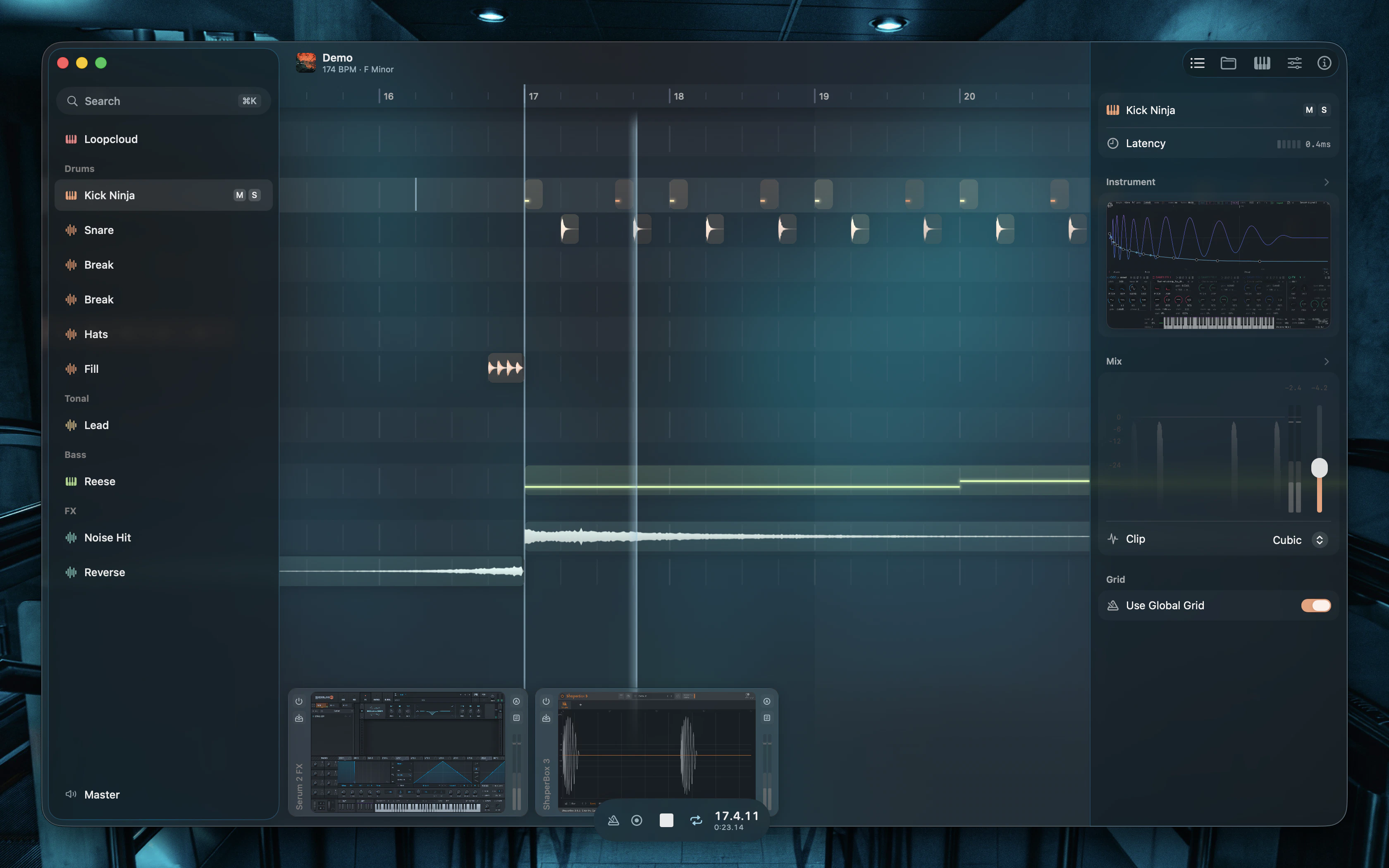
> Gridshift is a keyboard-driven digital audio workstation for macOS, built with Swift and Metal for modern Macs. All functions are accessible via keyboard.
 ## Design principles
All functions via keyboard. Play instruments, trigger samples, navigate, edit, mix.
Optimized for computer-based production.
Focused feature set.
Minimal clicks, instant feedback.
Audio Unit integration instead of bundled plugins.
Swift and Metal tuned for modern Macs, with Apple Silicon recommended for best performance.
## Features
200+ commands with fuzzy search and customizable shortcuts.
Edit clips inline — audio waveforms and MIDI piano roll expand in place.
See and control your entire effects chain at a glance, with ALC and metering.
Automate mixer controls and plugin parameters with editable curves.
38 groove presets that shift the grid, snapping, and playback — globally or per track.
Three modes — Audio, MIDI, and Trigger Impulse. Zero latency.
Duck any track from another's events with a hand-drawn shape. No plugin, no latency.
Split audio into vocals, drums, bass, and more — all processed locally.
Save snapshots with audio previews. Compare before restoring.
Play MIDI from the computer keyboard. Scale, Piano or Drums layout.
Record the audio output of any running app on your Mac.
## System requirements
* **macOS 26** or later
* **Apple Silicon or Intel** Mac with a Metal-capable GPU
* **Recommended:** Apple Silicon (M1 or later)
## Quick links
Learn the interface
Explore features
Learn shortcuts
## Design principles
All functions via keyboard. Play instruments, trigger samples, navigate, edit, mix.
Optimized for computer-based production.
Focused feature set.
Minimal clicks, instant feedback.
Audio Unit integration instead of bundled plugins.
Swift and Metal tuned for modern Macs, with Apple Silicon recommended for best performance.
## Features
200+ commands with fuzzy search and customizable shortcuts.
Edit clips inline — audio waveforms and MIDI piano roll expand in place.
See and control your entire effects chain at a glance, with ALC and metering.
Automate mixer controls and plugin parameters with editable curves.
38 groove presets that shift the grid, snapping, and playback — globally or per track.
Three modes — Audio, MIDI, and Trigger Impulse. Zero latency.
Duck any track from another's events with a hand-drawn shape. No plugin, no latency.
Split audio into vocals, drums, bass, and more — all processed locally.
Save snapshots with audio previews. Compare before restoring.
Play MIDI from the computer keyboard. Scale, Piano or Drums layout.
Record the audio output of any running app on your Mac.
## System requirements
* **macOS 26** or later
* **Apple Silicon or Intel** Mac with a Metal-capable GPU
* **Recommended:** Apple Silicon (M1 or later)
## Quick links
Learn the interface
Explore features
Learn shortcuts