> ## Documentation Index
> Fetch the complete documentation index at: https://docs.gridshift.studio/llms.txt
> Use this file to discover all available pages before exploring further.
# Sidechain
> Three sidechain modes — Audio, MIDI, and Trigger Impulse — with sample-accurate timing and configurable lookahead.
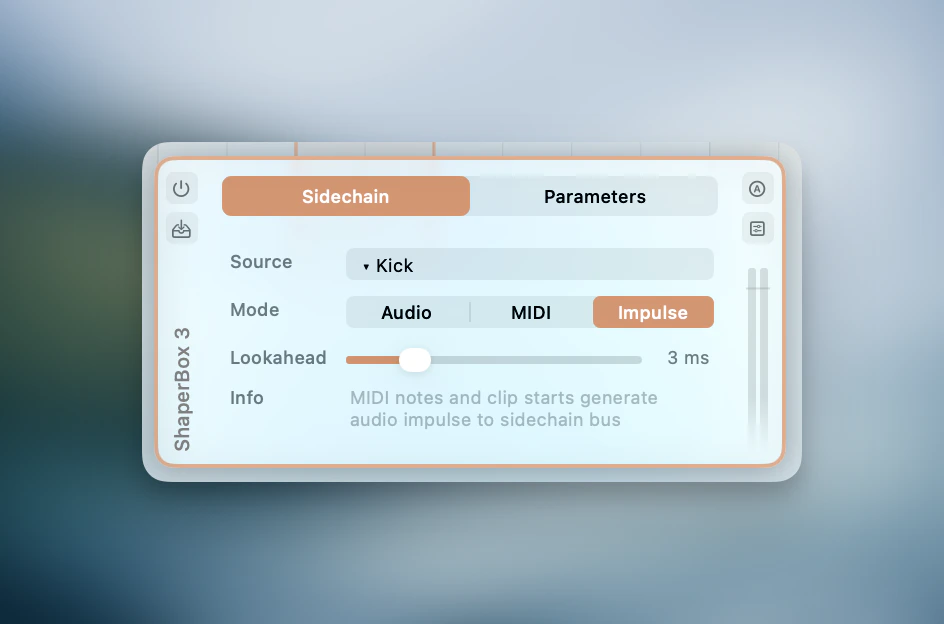
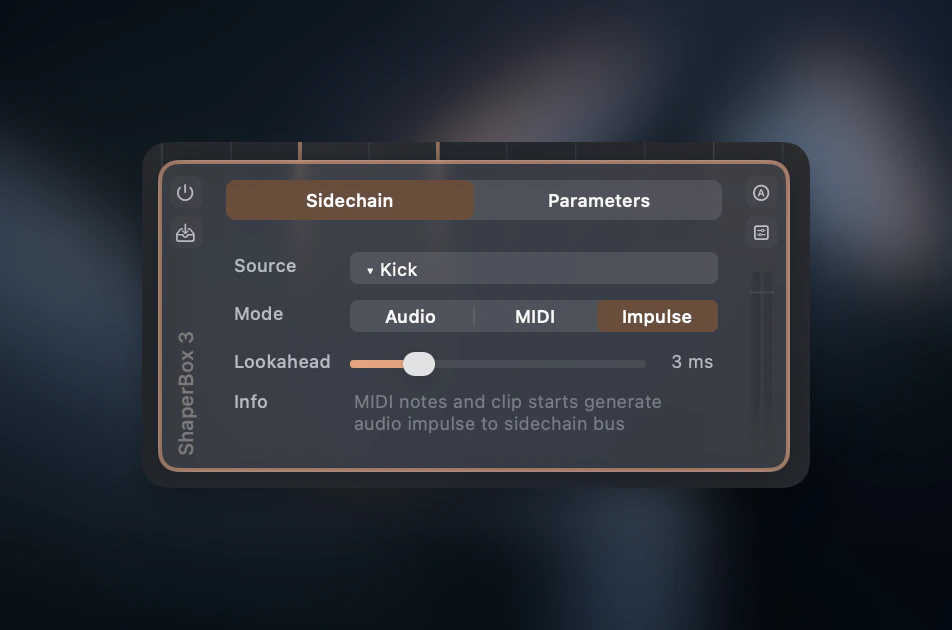 **Sidechain** routes one track's signal to control a plugin on another track, through three modes: Audio, MIDI, and Trigger Impulse.
Gridshift supports traditional audio sidechain routing as well as trigger-based modes. MIDI and Trigger Impulse modes use clip start positions and MIDI note-on events as triggers — since these positions are known ahead of time, there is no detection delay.
## Set up a sidechain
Open a plugin in the [Plugin Strip](/features/plugin-strip) (click the plugin card to expand it).
## Modes
| Mode | Description |
| ------------------- | ------------------------------------------------------------------------------------------- |
| **Audio** | Routes the source track's audio to the plugin's sidechain input bus |
| **MIDI** | Sends MIDI note-on events at note and clip positions to the plugin |
| **Trigger Impulse** | Generates synthetic audio impulses at note and clip positions to the plugin's sidechain bus |
Available modes depend on the plugin's capabilities (sidechain bus, MIDI input) and the source track type.
## Lookahead
MIDI and Trigger Impulse modes show a **Lookahead** slider (0–15 ms) that fires events early to compensate for plugin attack time. This works by looking ahead in the timeline — it does not add latency.
## Via MCP
The same routing is available to AI assistants through the [`plugin_configure`](/features/mcp-server) tool. Set up classic kick→bass ducking in one call:
```json theme={null}
{
"track_name": "Bass",
"plugin_slot_index": 0,
"sidechain": {
"mode": "trigger_impulse",
"source_track_name": "Kick",
"lookahead_ms": 5
}
}
```
Modes accept `audio`, `midi`, `trigger_impulse`, or `none` (to disconnect). `audio` and `trigger_impulse` require the plugin to expose a sidechain input bus; the call returns a clear error otherwise.
**Sidechain** routes one track's signal to control a plugin on another track, through three modes: Audio, MIDI, and Trigger Impulse.
Gridshift supports traditional audio sidechain routing as well as trigger-based modes. MIDI and Trigger Impulse modes use clip start positions and MIDI note-on events as triggers — since these positions are known ahead of time, there is no detection delay.
## Set up a sidechain
Open a plugin in the [Plugin Strip](/features/plugin-strip) (click the plugin card to expand it).
## Modes
| Mode | Description |
| ------------------- | ------------------------------------------------------------------------------------------- |
| **Audio** | Routes the source track's audio to the plugin's sidechain input bus |
| **MIDI** | Sends MIDI note-on events at note and clip positions to the plugin |
| **Trigger Impulse** | Generates synthetic audio impulses at note and clip positions to the plugin's sidechain bus |
Available modes depend on the plugin's capabilities (sidechain bus, MIDI input) and the source track type.
## Lookahead
MIDI and Trigger Impulse modes show a **Lookahead** slider (0–15 ms) that fires events early to compensate for plugin attack time. This works by looking ahead in the timeline — it does not add latency.
## Via MCP
The same routing is available to AI assistants through the [`plugin_configure`](/features/mcp-server) tool. Set up classic kick→bass ducking in one call:
```json theme={null}
{
"track_name": "Bass",
"plugin_slot_index": 0,
"sidechain": {
"mode": "trigger_impulse",
"source_track_name": "Kick",
"lookahead_ms": 5
}
}
```
Modes accept `audio`, `midi`, `trigger_impulse`, or `none` (to disconnect). `audio` and `trigger_impulse` require the plugin to expose a sidechain input bus; the call returns a clear error otherwise.